Best Online Registration Systems for Seamless Event Signups
Event planners need registration tools that simplify attendee sign-ups, reduce admin work, and create a frictionless experience.
Emma Larj
July 15, 2026
Event planners need registration tools that simplify attendee sign-ups, reduce admin work, and create a frictionless experience.
Emma Larj
July 15, 2026
Your registration page is the first interaction potential attendees have with your event.
But many event platforms overcomplicate the registration process with clunky forms, high fees, or a lack of customization, tarnishing the event experience.
Event planners need registration tools that simplify attendee sign-ups, reduce admin work, and create a frictionless experience.
This article showcases the best online registration systems, details which features to prioritize, and highlights pitfalls to avoid when choosing a software solution.
To select the best event registration system, start by identifying the features that matter most. This will ensure you choose a simple, user-friendly solution that meets your event's needs.
Customizable registration forms that allow you to collect attendee info and use conditional logic
Payment processing capabilities with support for multiple payment types and currencies, plus the capacity to apply coupons and discount codes
Automated communication features like confirmation emails, pre-event engagement sequences, and post-event surveys
Calendar and scheduling tools that let attendees choose sessions and workshops, sync their Google or Outlook calendar, and access waitlists for fully booked sessions
Built-in ticketing features like tiered options, QR-coded tickets, and a check-in app
Analytics and reporting tools that provide insights into traffic sources, page conversion rates, and registration trends
A website and landing page builder with templates, a drag-and-drop interface, and a mobile-friendly design
Integrations with CRM software, email tools, and virtual event platforms
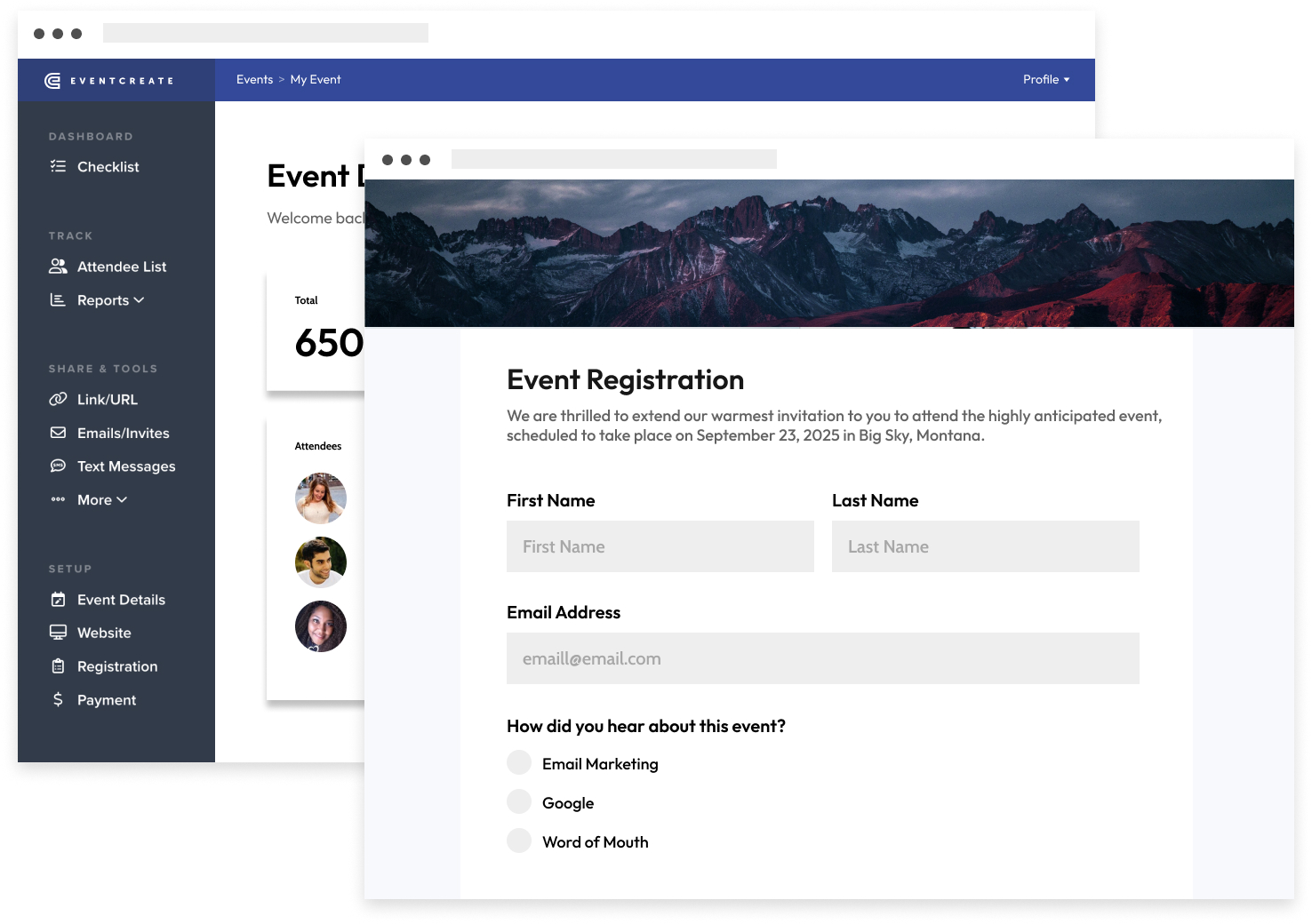
EventCreate’s event registration form (Image Source)
EventCreate is our all-in-one event management system that comes packed with powerful tools for events of all sizes.
Our flexible and user-friendly event registration tool lets you create everything from simple sign-up forms to complex registration processes so you can capture the details you need to ensure an immersive and memorable attendee experience.
Select from pre-built modules, add custom questions, and choose your own fonts, colors, and images to personalize registration forms to your taste. Create custom confirmation pages and email messages so ticket buyers have proof of registration and can add the event to their calendars.
Features:
Customizable registration forms: Collect the exact information you need from each attendee with fully customizable registration forms.
Multiple ticket types: Offer a range of ticket options, including free, paid, and donation-based tickets, and provide attendees with discount codes and coupons if desired.
Private or public registration: Choose whether to make your registration page publicly accessible or restrict it to invited guests only.
Guest list management: Track, manage, and update your attendee list in real time using built-in tools.
Automated confirmation emails: Automatically send confirmation emails to attendees after they register.
Free check-in app: Use our free mobile app to scan QR codes and check in attendees quickly.
Full suite of event planning features: Put our helpful planning tools—including a website builder with pre-designed templates, online event invitations, and a user-friendly seating chart creator—to work to create a seamless attendee experience.
Pros:
EventCreate is intuitive and beginner-friendly, allowing you to set up events without technical skills.
The event management platform comes with polished, professional templates that give even simple events a well-branded, credible look.
Prices are accessible for individuals and small teams, especially those running low-volume or infrequent events.
You can launch a fully functional registration page in just a few minutes, which is great for simple events.
The EventCreate customer support team is responsive and helpful.
Cons:
We built EventCreate for small and mid-sized event planners, so our platform might not include every feature enterprise companies want, such as single sign-on.
Pricing:
EventCreate plans start at just $29 per month.
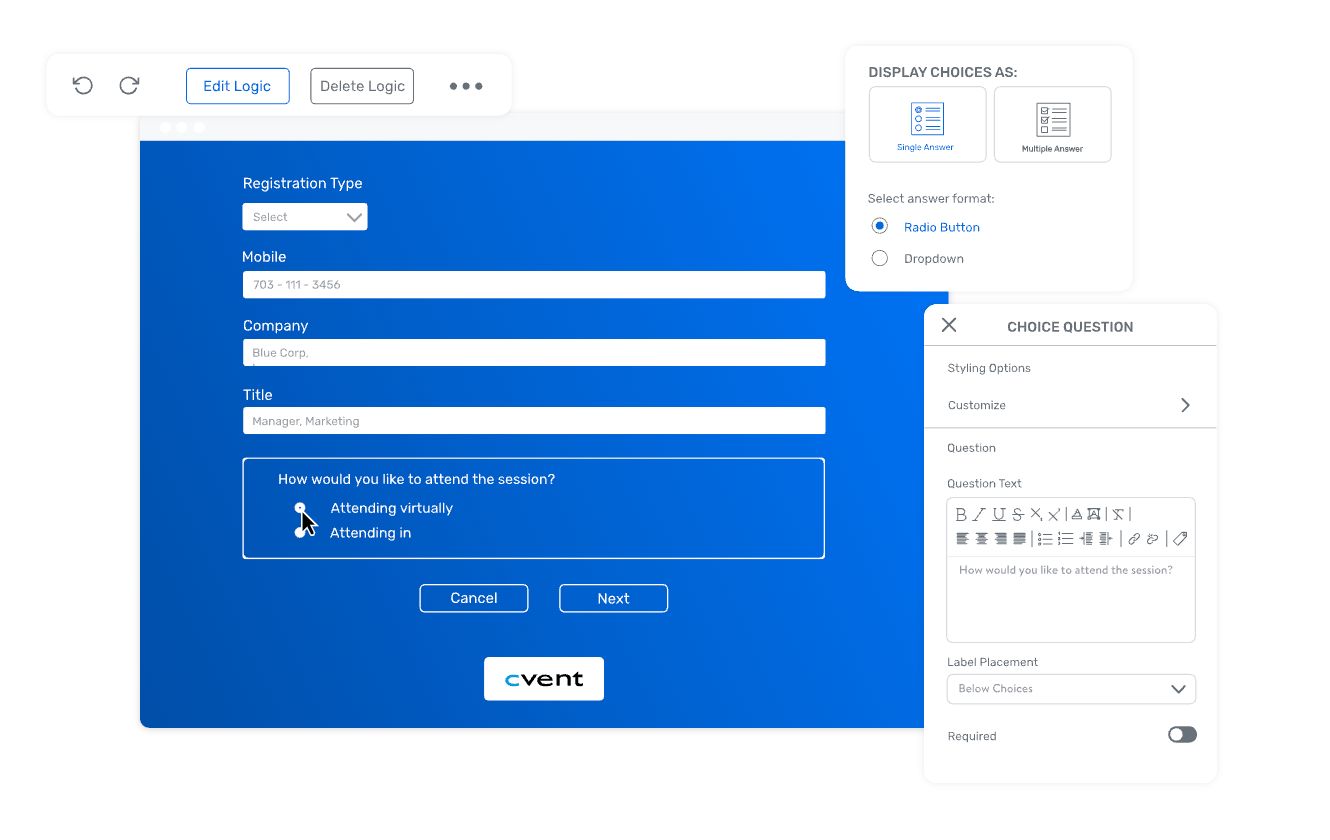
Cvent’s event registration form builder (Image Source: Cvent website)
Cvent is a comprehensive event management platform designed for enterprise-level events. It offers a wide range of tools for event planning, registration, marketing, and post-event analysis.
Features:
Custom registration websites: Create branded, mobile-responsive registration sites using a drag-and-drop builder.
Flexible registration paths: Design multiple registration flows for different attendee types, such as VIPs, speakers, or general participants.
Integrated payment processing: Process credit card payments and offer early bird pricing, discount codes, and multi-currency options.
Automated email marketing: Schedule and send personalized emails to promote your event, confirm registrations, and provide event updates.
Real-time reporting and analytics: Use live dashboards to track registrations, monitor attendee behavior, and measure event performance.
Pros:
With flexible registration paths and payment options, Cvent is a strong option for complex events.
Cvent integrates with many popular tools, such as Salesforce, HubSpot, and Marketo, increasing your ability to market effectively.
Cvent also includes helpful event planning tools like speaker management and venue sourcing.
The platform reporting dashboards provide real-time insights into registration trends, helping planners make data-driven decisions.
Cons:
Cvent is relatively expensive and likely out of reach for small teams.
The user interface can feel outdated in some areas compared to more modern tools.
Pricing:
Cvent doesn’t advertise pricing. However, Vendr shows Cvent users pay between $4,740 and $50,296 annually.
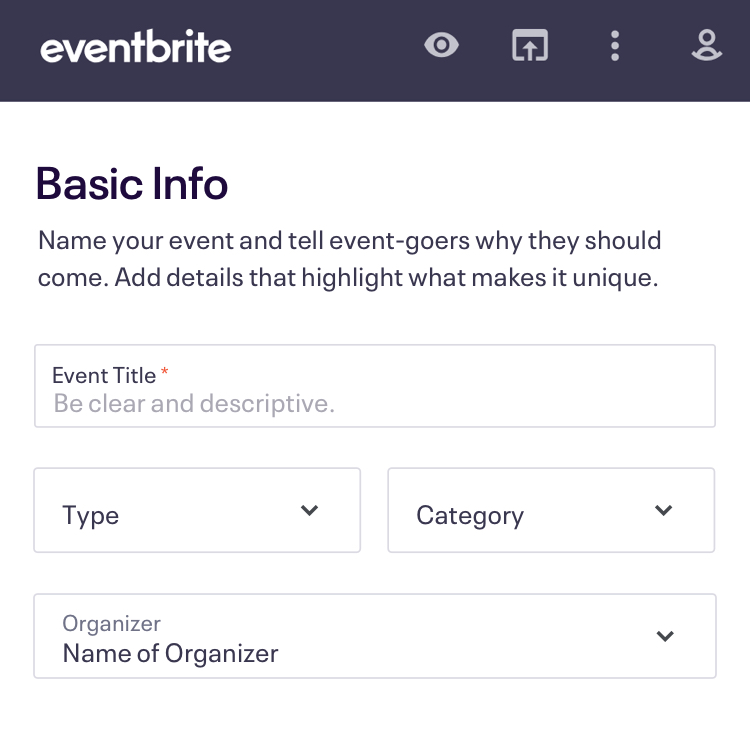
A simple event registration form from Eventbrite (Image Source: Eventbrite website)
Eventbrite is a widely used event registration platform that's popular for its straightforward user experience. It's a good fit for public events, workshops, and community gatherings and works well for both in-person and virtual formats.
Features:
User-friendly registration builder: Create and publish branded registration pages using built-in templates and a step-by-step interface.
Custom ticketing options: Offer multiple ticket types and set up quantity limits, early bird pricing, and access codes.
Built-in payment processing: Accept major credit cards, PayPal, and regional payment methods with automatic tax handling and payout scheduling.
Mobile-optimized registration forms: Ensure registration pages are responsive across devices.
Automated confirmation and reminder emails: Send confirmation emails and calendar invites automatically.
Pros:
Ease of use is great thanks to a fast setup process that doesn't require technical skills.
Mobile apps for both organizers and attendees streamline check-ins and provide a smooth on-site experience.
Eventbrite’s biggest benefit is its reach. Eventgoers regularly browse its platform to look for local events.
Cons:
Per-ticket fees can add up quickly, especially for high-volume or low-margin events.
Customization options for registration forms and branding are somewhat limited compared to more advanced platforms.
Pricing:
Fees for paid events start at 3.7% + $1.79 per ticket, plus a 2.9% payment processing fee. Add-on products for email marketing and digital advertising cost extra.
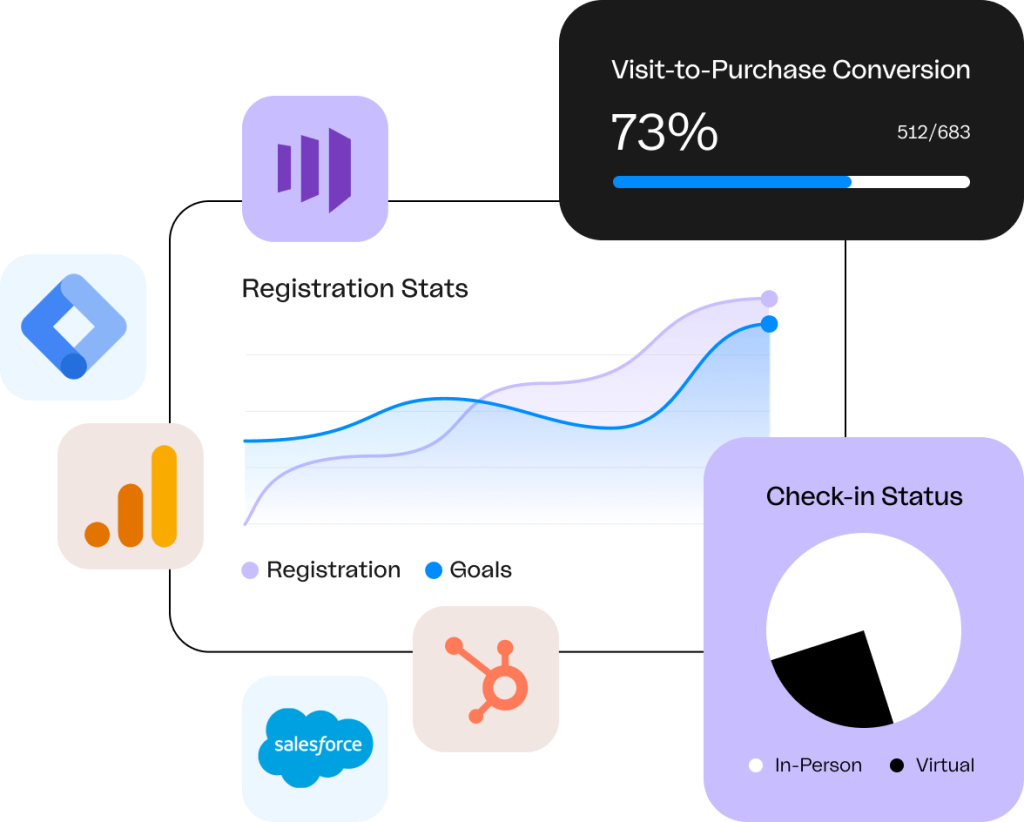
Bizzabo’s event registration reporting (Image Source: Bizzabo website)
Bizzabo is a comprehensive event management platform that supports in-person, virtual, and hybrid events. It specifically focuses on B2B events like conferences and trade shows.
Features:
Customizable registration forms: Design tailored registration experiences with advanced functionality, including conditional logic, multiple registration paths, and approval workflows.
Mobile check-in and badge printing: Create hassle-free on-site check-ins with a mobile app, and print custom badges to enhance attendee engagement.
AI-powered networking: Use Bizzabo's AI-powered matchmaking engine to connect attendees with similar interests and facilitate meaningful connections.
Branded mobile event app: Deliver event content, enable attendee interaction, and offer branding opportunities for sponsors with the platform's customizable mobile app.
Pros:
Bizzabo’s registration system seamlessly connects with other event management tools to create a unified attendee experience.
The platform’s AI-powered matchmaking helps personalize the post-registration experience by connecting guests with shared interests, enhancing engagement.
Bizzabo supports multi-language registration pages, helping global events offer a more inclusive experience.
You can embed the registration data widget directly into an external website, meaning attendees don’t have to leave your main event site to sign up.
Cons:
Bizzabo’s account-based flow can create friction for attendees who expect a one-click or guest-style registration process.
Payment gateway options are limited compared to competitors, which could be an issue for organizers in regions with specific local processors.
Bizzabo is expensive.
Pricing:
Bizzabo’s entry-level plan costs $499 per user per month, with a three-user minimum and annual billing—bringing the total minimum cost to $18,000 per year.
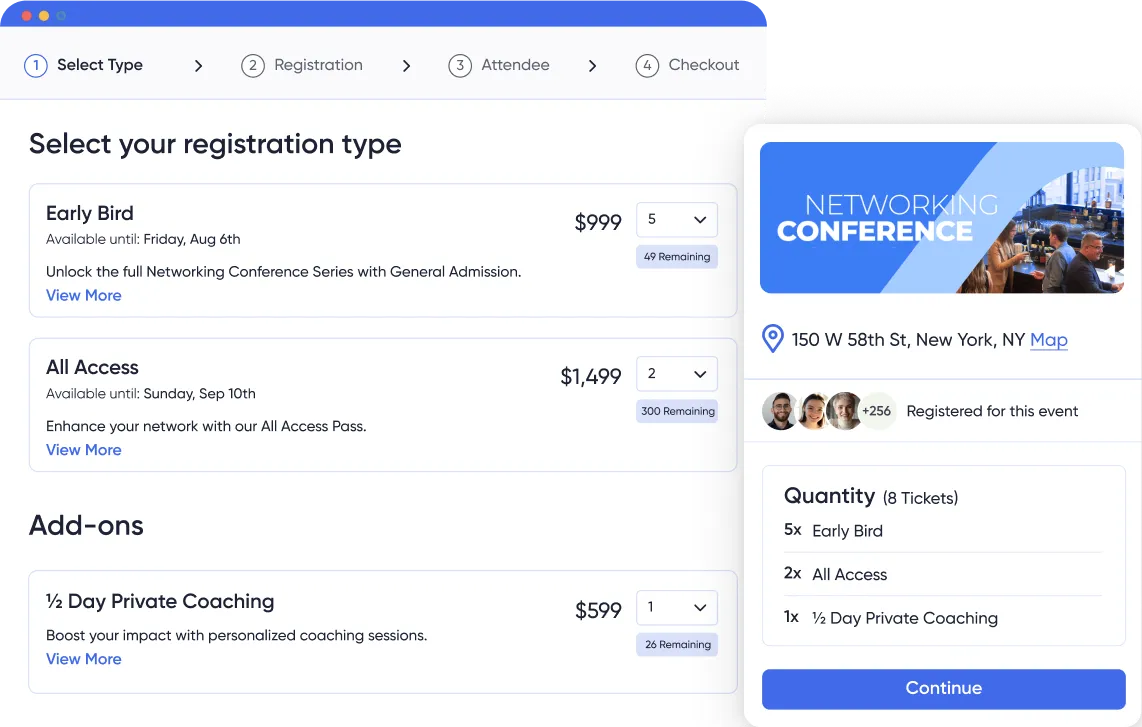
Screenshot of an event sign-up form on Accelevents (Image Source: Accelevents website)
Accelevents is a versatile event management platform that offers online registration and ticketing solutions for events of various sizes and formats.
Features:
Customizable registration forms: Create tailored registration experiences with custom fields, conditional logic, and approval workflows to collect specific attendee information.
Embeddable registration widgets: Integrate registration forms into your website to provide a seamless sign-up experience that doesn't direct attendees to external pages.
Automated email communication: Use the platform's drag-and-drop email template builder to craft targeted email marketing campaigns for confirmations, reminders, and post-event follow-ups.
Pros:
Accelevents offers 24/7 customer support.
The platform’s user-friendly interface allows for quick setup and customization of registration forms.
Cons:
While Accelevents provides extensive customization options, advanced features like approval workflows and API access are only available in higher-tier plans, which may be cost-prohibitive for smaller organizations.
Pricing:
Accelevents is $7,000 for one event, and planners hosting multiple events must opt for the Business tier, which starts at $12,000.
Before choosing an event registration platform, it's wise to familiarize yourself with some common pitfalls that can impact attendee experience and event success.
Some event registration systems overcook the process, leading to long, clunky forms that cause drop-offs in registration.
Look for ways to simplify event registration forms to keep them as short as possible.
Some platforms charge high per-ticket fees or have unexpected add-ons, making running free events or maintaining a decent ROI difficult.
When choosing between event ticketing solutions, compare the total cost per person registered, not just the base subscription cost.
With over 62% of web traffic coming from mobile devices, registration forms that aren’t optimized for mobile create a frustrating online event registration experience.
Choose an online registration system with mobile-friendly forms, and make sure you run a test before going live.
If you can’t tailor branding, individual fields, or attendee email, your event website and registration form may feel generic.
Seek out event registration software solutions that support white labeling and allow you to create custom question fields.
Some tools only offer online payment functionality via credit card, which can be a barrier to purchase for some attendees.
Solve this by looking for an event management software solution that provides multiple payment options, like PayPal, Stripe, and offline payment.
Without an instant confirmation email, attendees may forget about the event or doubt its legitimacy.
The best online registration systems have built-in email automation that sends email confirmations and reminders.
Standalone systems lead to double-handling data, which lends itself to manual errors.
Streamline your event marketing campaigns by selecting a registration system that integrates with your CRM and marketing tools.
If you can’t track registrations by source or monitor signups, you miss opportunities to adjust strategies and optimize attendance.
Choose a platform with real-time reporting and customizable dashboards for data-driven decision-making.
Manual event check-ins can lead to chaos and long waits at the door.
Look for a system with digital ticketing and a QR code scanning app for fast and easy entry.
The right online registration system should make event sign-ups seamless—not stressful. The best tools simplify the registration experience, reduce admin workload, and offer customization, automation, and integrations that help events run smoothly from start to finish.
EventCreate’s intuitive interface, customizable forms, automated emails, and built-in ticketing and check-in features make the entire registration process effortless for both event organizers and attendees.
Whether you’re planning a fundraiser, reunion, or festival, EventCreate is the online registration system for you. Get started with EventCreate for free today.
Highly-rated and thousands of reviews worldwide, EventCreate is independently ranked a top event management platform.