Event floor plans have been around for as long as event planners themselves—but traditional layouts are static, difficult to adjust in real time, and not up to scratch for the complexities of modern event management.
Today's event organizers need a solution to help optimize seating, booths, and traffic flow.
This guide explores the eight best event layout software solutions for meeting those needs, each packed with powerful features like flexible seating charts, customizable floor plans, and digital attendee mapping.
Why event layout software is essential
Moving from static, traditional tools like PowerPoint to modern event layout software platforms comes with big benefits.
Optimized space utilization
Software helps event planners make the most of venues, ensuring seating arrangements, booths, and staging areas are set up to maximize available space.
Improved guest experience
A well-thought-out layout improves traffic flow, minimizes congestion, and makes events more enjoyable. Software helps planners visualize crowd movement and optimize entry and exit points to make navigating the venue easy.
Real-time collaboration
Most event layout tools are cloud based, letting stakeholders like venue managers, decorators, and clients collaborate in real time.
Smarter vendor coordination
Built-in sharing features help caterers, audiovisual tech teams, and other vendors understand their designated areas and logistical requirements.
Better client presentations
A professionally designed layout showcases the event organizer's vision, making it easier to secure client buy-in and receive actionable feedback.
Key features to look for in event layout tools
As you hunt for the perfect event layout creator for your needs, prioritize the following critical features:
Multiple elements, such as DJ booths, bathrooms, and different table shapes
A drag-and-drop editor that allows easy placement and movement of tables, chairs, stages, booths, and other elements
Collaborative features that enable multiple users to work on the same layout at the same time
Integrated guest list data with auto-assign functionality
Pre-designed templates for various event types (conferences, trade shows, weddings, parties, etc.)
Safety and compliance tools to ensure fire compliance and accessible layouts
Cloud-based access to enable remote work and access from different device types
Multiple exporting and sharing options, such as the ability to share an online link or export to a PDF
Integration with event planning tools like RSVP and ticketing systems
Best event layout software options
1. EventCreate
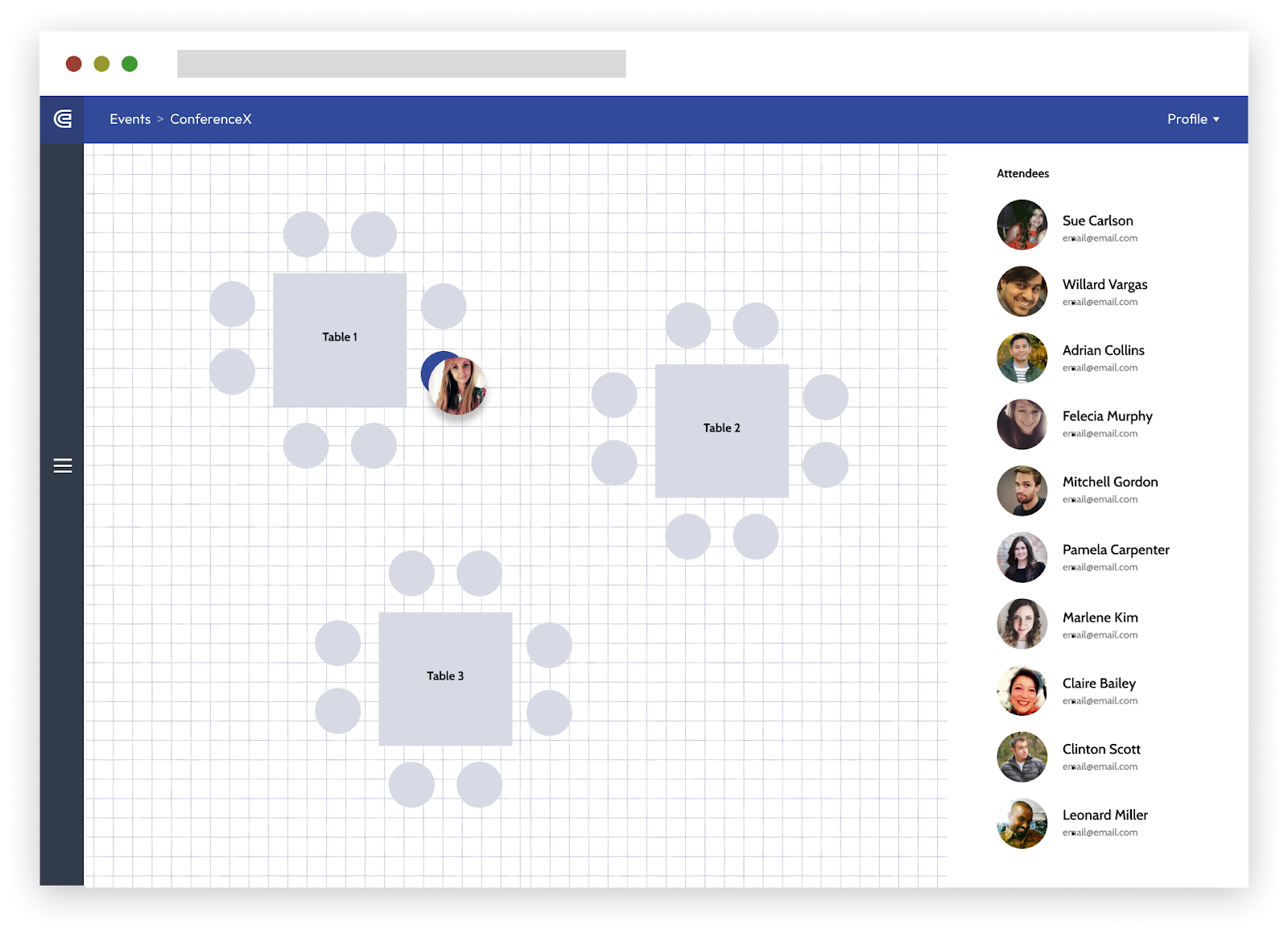
EventCreate’s seating chart builder (Image source)
EventCreate is an all-in-one platform for planning, organizing, and marketing events. It's stacked with features to help with everything from building websites to creating personalized event invitations.
Our seating chart maker lets you design venue layouts and seating charts directly within the platform, making it easy to arrange tables, booths, and guest seating.
Features:
Drag-and-drop editor: No coding experience needed—EventCreate’s seating chart builder is incredibly user friendly.
Auto-assign: Our auto-assign function lets you assign seats to attendees in seconds.
Multiple elements: EventCreate’s layout feature offers multiple table types, seating options, and modules for bathrooms and DJ booths.
Pros:
You don't need separate design software since EventCreate integrates layout planning with attendee management.
EventCreate comes with a number of other powerful event management tools, such as a QR scanning app and event badge printing.
With built-in photo capture, attendees can upload their photos to create a visual seating arrangement.
Cons:
Pricing:
EventCreate pricing starts at just $5 a month.
2. EventDraw
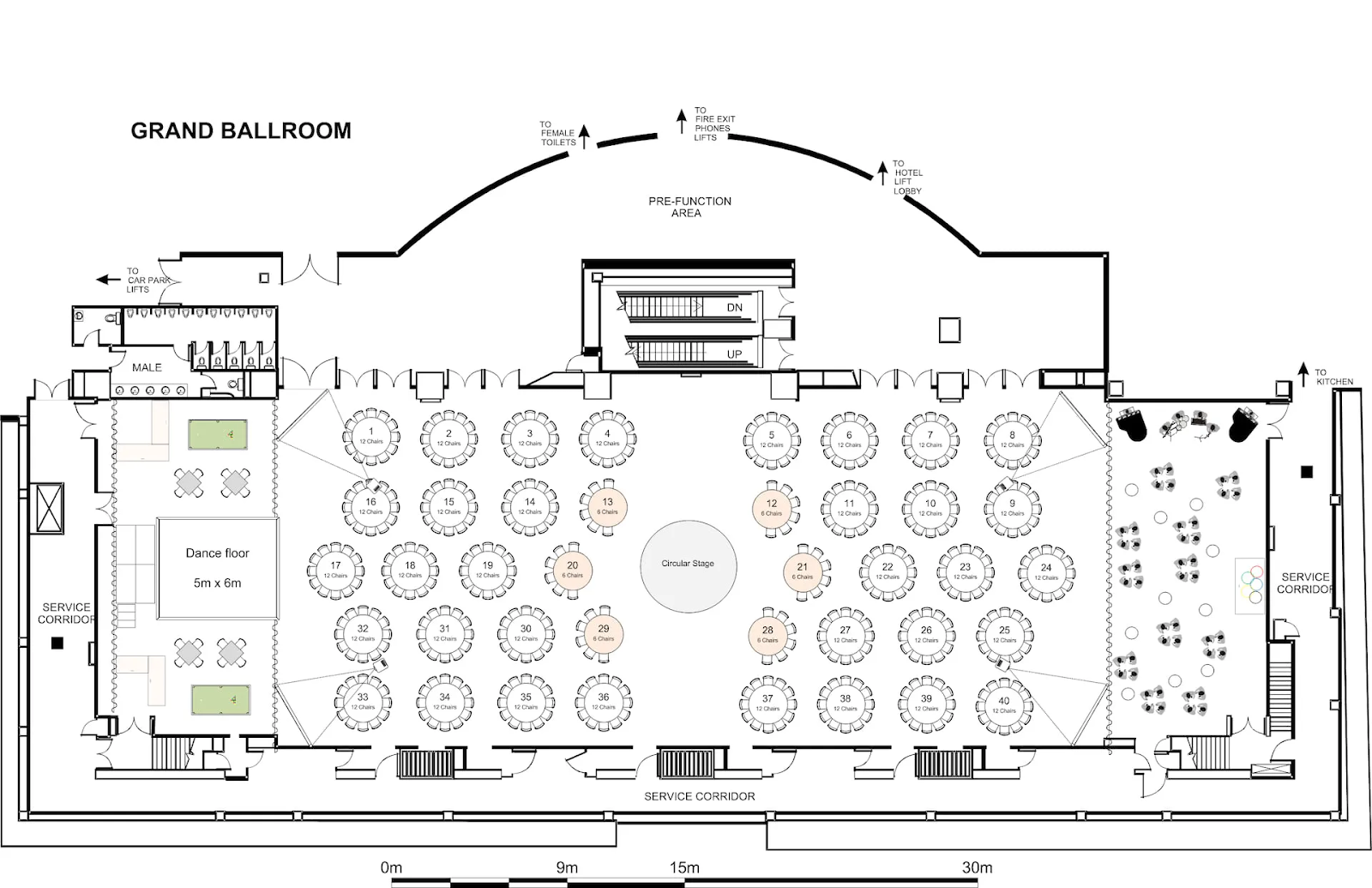
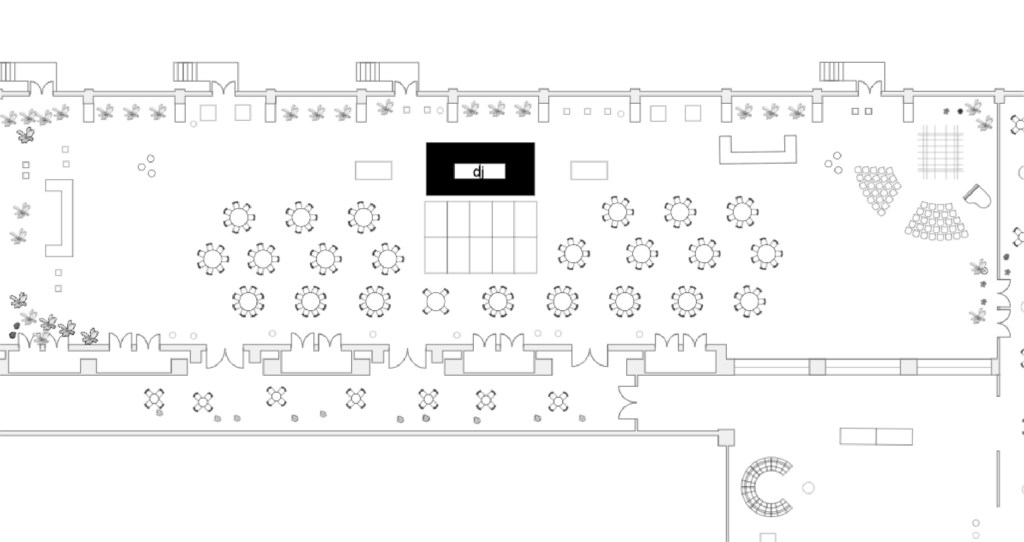
EventDraw’s event layout software (Image source: EventDraw’s website)
EventDraw is an event diagramming software that offers 2D and 3D views.
Features:
360-degree walkthroughs: EventDraw users can create virtual walkthroughs of the venue floor plan, helping clients visualize setups.
Unlimited users: The software lets multiple team members collaborate without additional fees.
Custom shapes: The event floor plan software offers over 5,000 pre-designed furniture shapes, but you can also create your own custom shapes.
Pros:
EventDraw offers drag-and-drop tools that don’t require previous experience or CAD expertise.
The software supports both indoor and outdoor venues.
EventDraw also offers a variety of training resources to help users get the most out of the platform.
Cons:
While EventDraw offers both web and desktop versions, some users report that certain functions don’t work as smoothly on the web version.
EventDraw is exclusively for event venue diagramming, meaning it doesn’t offer tools to support the planning process like full-stack event management software does.
Pricing:
EventDraw doesn’t advertise its pricing model. You’ll need to request a custom quote to access pricing.
3. Cvent Event Diagramming
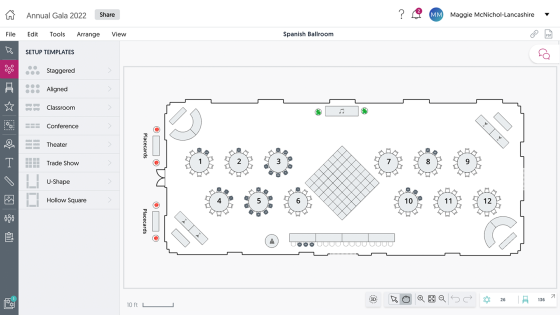
The event layout builder in Cvent (Image source: Cvent’s website)
Cvent Event Diagramming (previously Social Tables) is an event design platform with advanced features like 3D floor planning and to-scale layouts.
Features:
Photo-realistic 3D rendering: Cvent Event Diagramming lets event planners create detailed 3D walkthroughs of their event space.
Over 700 objects: Users can choose from 700+ objects and customize elements like table size and number of seats.
Max capacity diagrams: Event planners can monitor how their floor plans impact venue capacity, ensuring compliance with fire safety regulations.
Pros:
As a Cvent product, this event layout software solution integrates seamlessly with the Salesforce CRM.
G2 reviewers note that Cvent Event Diagramming is intuitive and easy to use, even for inexperienced layout designers.
Cons:
Pricing:
Cvent Event Diagramming offers a limited free plan, with paid options starting at $199 a month.
4. SmartDraw
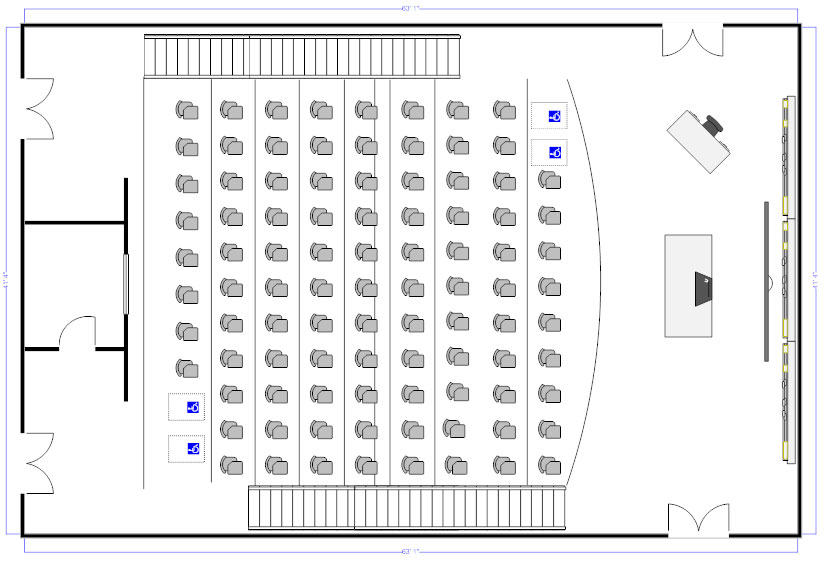
Example of an event layout in SmartDraw (Image source: SmartDraw’s website)
SmartDraw is a diagramming and whiteboarding tool. While it isn’t specifically built for creating event layouts, it offers a variety of features that make it an appropriate solution.
Features:
Automatic formatting: SmartDraw's intelligent formatting engine automatically adjusts layouts as you add or remove elements.
Template library: SmartDraw offers thousands of templates and symbols across multiple categories, making it easy for event planners to build a layout from scratch.
Integrations: The platform integrates with dozens of popular tools, including Microsoft Office and Google Workspace.
Pros:
SmartDraw has a number of enterprise-friendly features like access management, dedicated onboarding processes, and strong privacy and security compliance.
The software also includes 2D CAD features, allowing users to design detailed architectural and engineering diagrams. This makes it a cost-effective alternative to more expensive CAD software.
Cons:
SmartDraw only offers an annual subscription, which may make it inaccessible to event planners on a budget.
While basic features are fairly straightforward, understanding how to get the most out of SmartDraw’s more advanced functions means it has a steeper learning curve.
Pricing:
Pricing starts at $9.95 per month, billed annually.
5. Prismm
A screenshot from Prismm’s event layout software (Image source: Prismm’s website)
Prismm (formerly Allseated) is an event management platform with a focus on spatial design.
Features:
Dynamic 3D virtual tours: You can transform static images into immersive 3D experiences, allowing your clients and stakeholders to explore event setups from anywhere.
Pre-loaded layouts: Prismm has several pre-loaded layouts for popular venues all over the world. If you’re hosting an event in one of these locations, you don’t have to start from scratch.
Pros:
The platform's collaborative features ensure all parties are involved and informed, leading to more personalized and successful events.
Prismm provides dozens of resources and tutorials that help users get started designing immersive 3D layouts.
Cons:
Pricing:
While Prismm doesn’t advertise pricing, Capterra reports Prismm's basic plan costs $35 per month.
6. Lucidchart
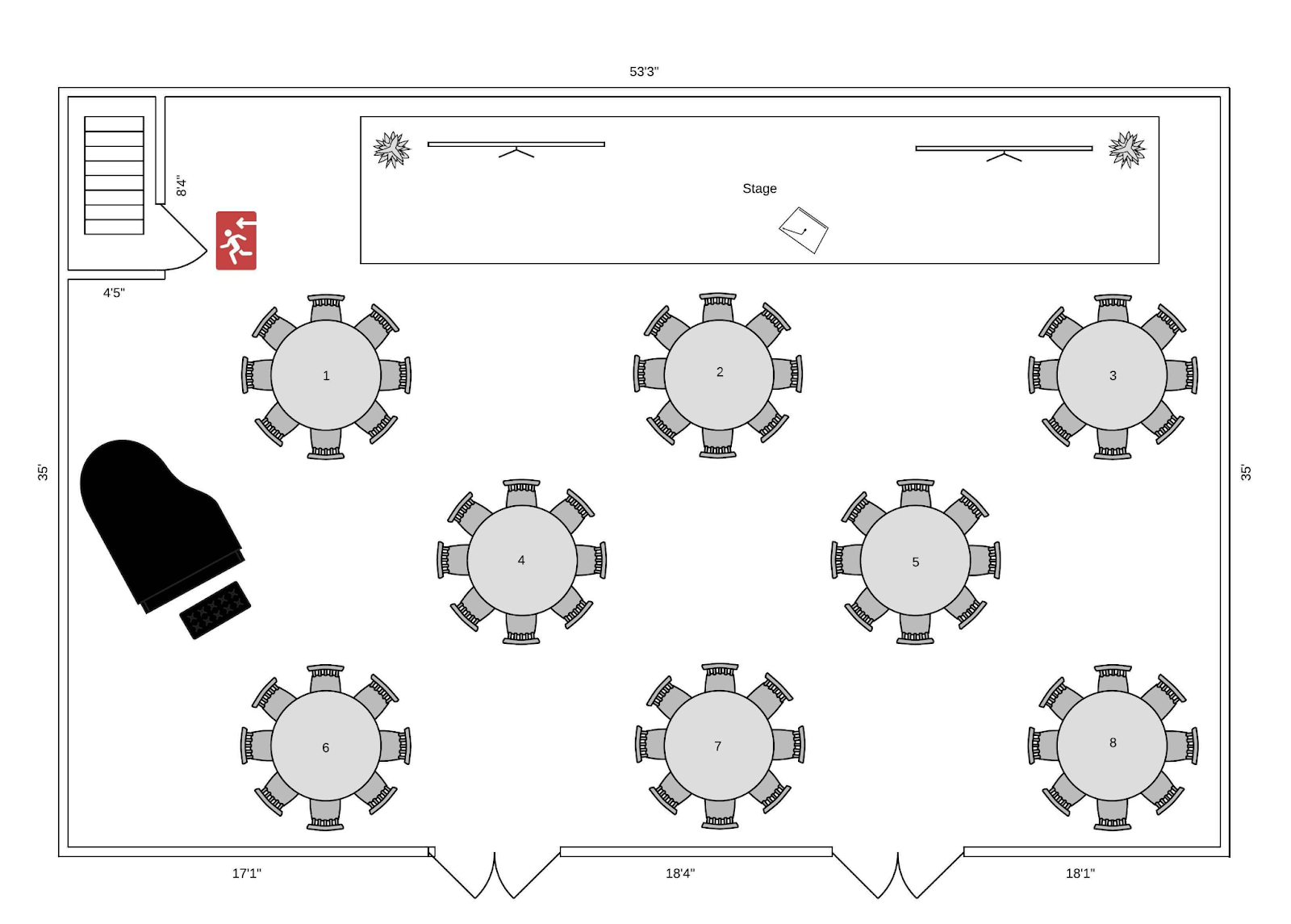
An event seating plan with piano created with Lucidchart (Image source: Lucidchart’s website)
Lucidchart is a web-based diagramming application planners can use to create a wide range of diagrams and flowcharts, including event floor plans.
Features:
Template library: Lucidchart offers an immense template library for various kinds of diagrams and layouts.
Drag-and-drop editor: The platform employs a drag-and-drop interface that makes it easy to use, even for first-time event organizers.
Scale tool: This helpful tool lets you adjust walls and shapes to reflect the venue’s correct proportions.
Pros:
Cons:
Pricing:
Lucidchart's individual plan starts at $9 a month, and they also offer a limited free plan.
7. OnePlan
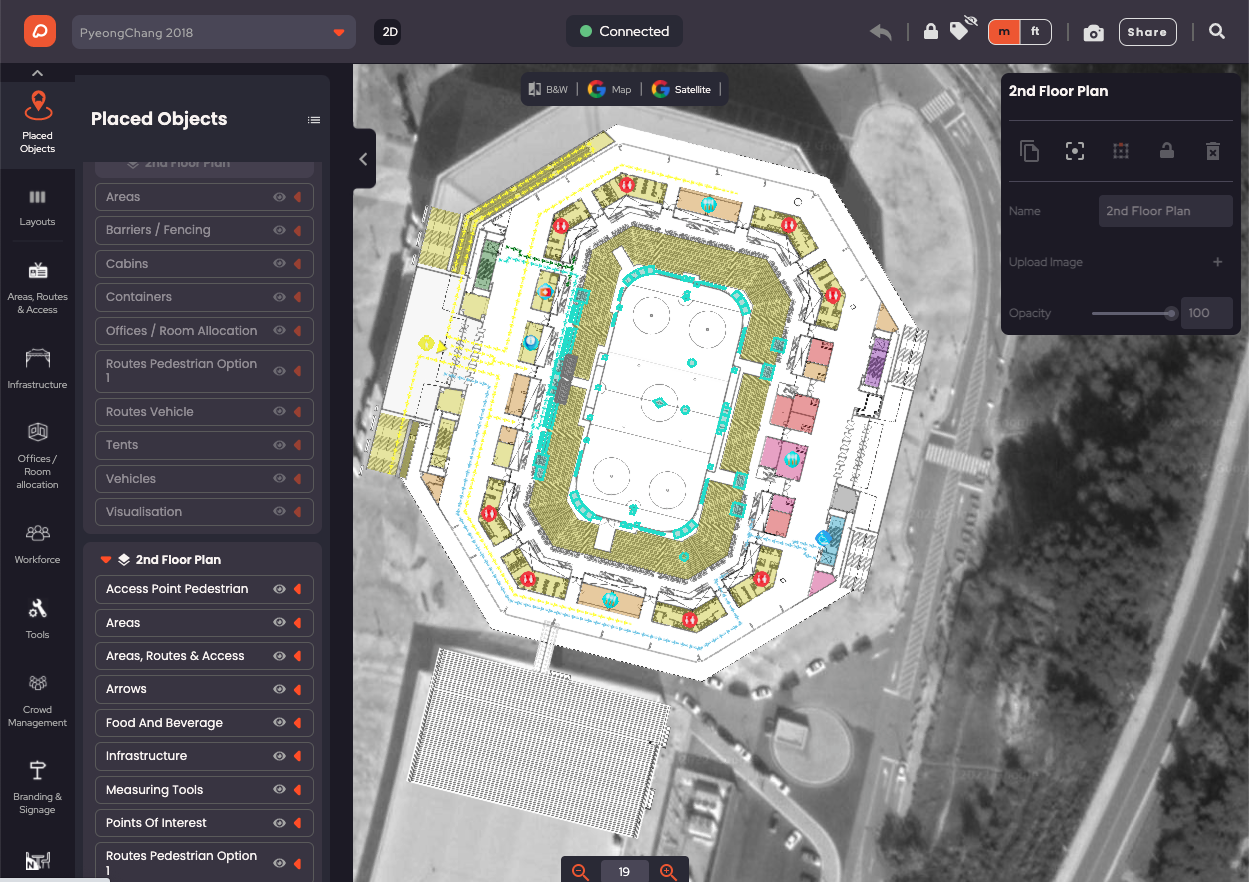
Example of a stadium layout in OnePlan (Image source: OnePlan’s website)
OnePlan is an event planning software platform primarily focused on large-scale events like festivals and road events like marathons.
Features:
Interactive mapping: Users can create detailed, to-scale maps of event venues, helping ensure precise planning and layout design.
CSV file export: In OnePlan, you can export all items in your layout to a CSV file so you can place orders for items like toilets and crowd control barriers.
Live crowd density mapping: This unique feature allows planners to simulate and monitor crowd density in real time, optimizing traffic flow and ensuring safety compliance.
AI-powered space optimization: OnePlan uses artificial intelligence to suggest the most efficient placement of elements like seating, barriers, and entry points based on venue dimensions and expected attendance.
Pros:
OnePlan offers a number of different element types, allowing planners to incorporate every aspect of their event—such as routes, signage, infrastructure, and workforce—directly onto a to-scale map.
For events involving specific routes, such as marathons or parades, OnePlan allows importing GPX files, facilitating accurate route mapping and planning.
Cons:
OnePlan is a complex product best suited to large events with diverse infrastructure and crowd management needs. It might be difficult to use when planning smaller-scale events.
It’s one of the more expensive options, especially if you’re planning more than one event. For this, you’ll need to upgrade to the $89 per month plan.
Pricing:
Pricing for OnePlan starts at $35 per user per month.
8. Planning Pod
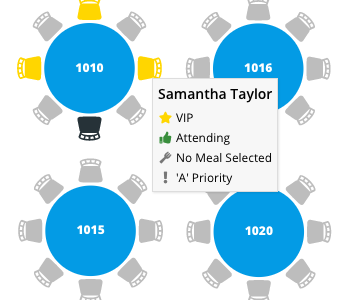
A screenshot of Planning Pod’s seating chart designer (Image source: Planning Pod’s website)
Planning Pod is an all-in-one, cloud-based event management platform that offers an event floor plan creator as one of its many features.
Features:
Drag-and-drop interface: Users can place tables, chairs, stages, and other elements via a no-code interface, making it suitable for those without design experience.
Customizable templates: Planning Pod offers several pre-built layout templates that can be tailored to your specific event requirements.
To-scale layouts: In Planning Pod, you can add notes about specific measurements, including table sizes and distance between furniture.
Pros:
Planning Pod enables integration with other popular tools through a Zapier connection.
The tool provides a wide range of event elements, such as furniture and equipment, to represent the event space accurately.
Since their floor plan design tool is just one of many features, you also get access to event planning functions like budgeting and attendee registration.
Cons:
Cheaper options with similar feature sets are available.
Certain aspects of floor plan designs have restricted customization options, potentially limiting personalization for specific event needs.
Pricing:
Planning Pod pricing starts at $59 a month when billed annually.
EventCreate’s built-in event layout software
Choosing the right event layout software ensures you make the most of venue space, improves the guest experience, and makes collaboration with vendors easier.
With EventCreate, you can design more efficient and engaging event spaces while saving time and simplifying the planning process. Our event management suite even comes with a built-in seating chart designer, eliminating the need for an additional tool.
Get started with EventCreate for free today.